Archive for June 2011
Animation-2D Example
Posted on: June 29, 2011
As of now I am trying to figure a way to convert the .swf file to other movie file as the convertor does not recognise the file type.
Bouncing Ball Example:
First try:
Final attempt:
IN3D WEEK 10 videos
Posted on: June 28, 2011
1) Squat down, jump as high as you can go, then land on the ground (it’s better if the person has long hair)
5) Pretend to get really really really (!) angry, then pretend to punch your friend standing in front of you
6) Drop a ball and film it bouncing a few times
8 ) Stand with a partner about 3 metres apart and throw a ball to each other a few times
11) Random
6 animation principles
1) Anticipation
2)Squash and Stretch
3)Follow-Through
4)Ease in and Ease out
5)Arcs
6) Staging
Project 1-Self-Critique
Posted on: June 12, 2011
Final Product

For my final model, I was not very happy about it. I realise that when a teacher say that something is challenging; it should be the first warning sign that it is very difficult. Yet I stubbornly think that I can do it so in the end the result was disappointing.
There are two challenges I had faced when I was modelling my Obi Wan; First it was the wire frame phrase, and Secondly the texturing phrase.
The wire frame phrase had been discussed on my previous post and I shall not say anything further. I will talk about the texturing phrase, at first I thought that I can take a picture of my Obi Wan’s head,body,hands and bottom and use the file tool to texture the Obi Wan. I was wrong, it isn’t that simple. So in the end I had to try to draw out my Obi Wan’s head using polygon which took me a long while to complete. I tried my best to make my model to look as similar to by original Obi Wan as I can which sadly failed terribly. The only consolation I had was that I manage to complete my wireframe and I am proud of it. So my advise to myself is try not to be too stubborn.
Project 1-Research
Posted on: June 12, 2011
The model that I choose is an Obi Wan character in the Mighty Muggs series, I thought that there will be some kind of reference to help me to prepare myself for the project. However I can’t any similar modeled tutorial online. The research that I found are the more technical kind of modelling .
Most of my research are found in the lab materials on olive and Mr Douglas tutorial on how to create a lego hand.
Here are some links that help me with my modelling:
http://www.youtube.com/watch?v=2Vui5Y92YuI
http://www.youtube.com/watch?v=7mfjqcE-h2E&feature=related
Project 1 Progression(bottom)
Posted on: June 11, 2011
Bottom

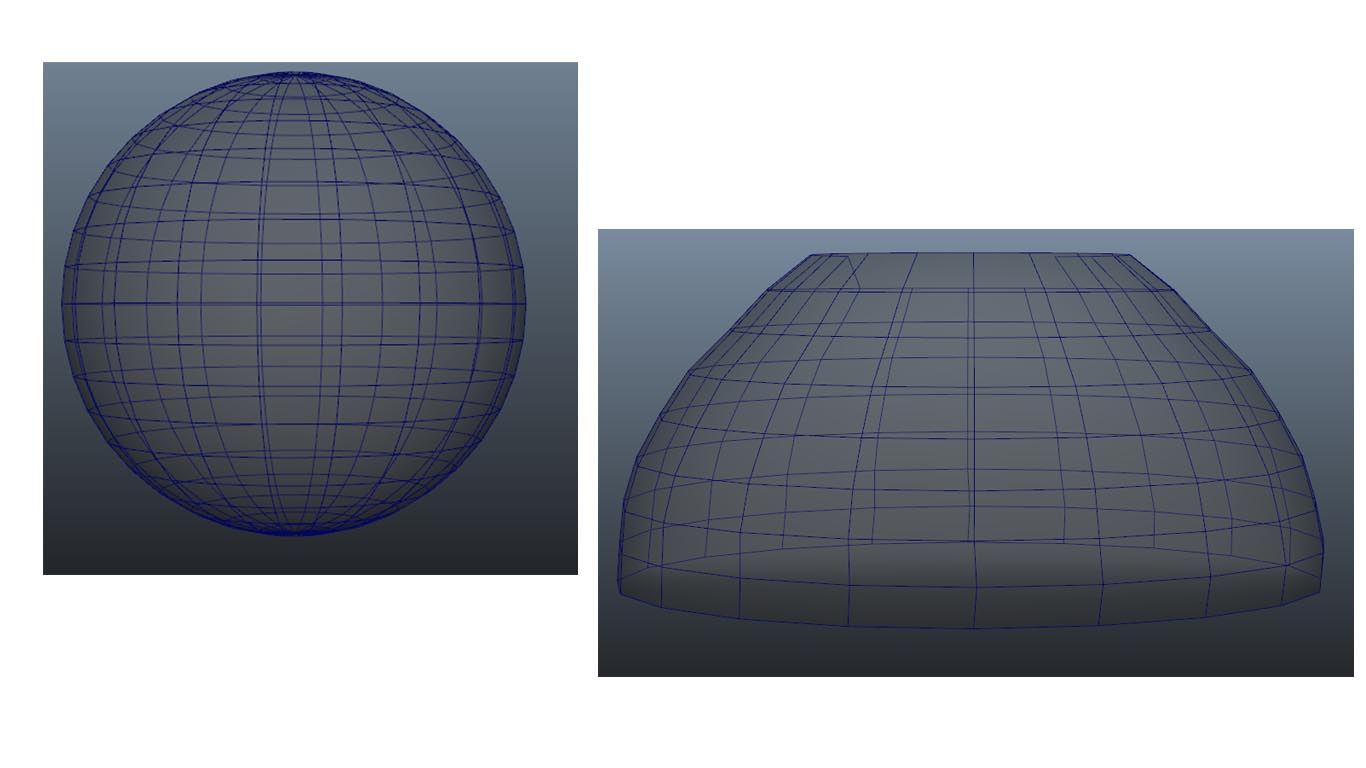
The bottom of the Obi Wan was rather straight forward. I used the sphere polygon to create it by resizing and deleting the faces of the sphere.
Project 1-Progression(Body)
Posted on: June 10, 2011
Body

The body was a lot easier than the hand component. However at first my impression for the body part not not to create a polygon shape and modify from it, I thought of using the exercise I learn to make the bucket and vase by creating a curve and loft it. This sounds really crazy but that was what I did first.

The image above was done with loft and changing it to a polygon tool,deleting unnecessary edges and extruding using face tool.
After some thought I realise that I can’t use this as my body as there are some black spots showing from the above image and there are extra edges that I can’t delete as the shape will turn out to be weird looking.Below are the images before I delete the edges and the outcome of it.
 After some thoughts, I decided to use a sphere to create the body of my obi wan. This is a lot simpler than the loft image above and all I need to do was to resize and delete some edges to the sphere to have the outline of the body.

Next I will move on to the bottom component
Project 1-Progression(Head)
Posted on: June 9, 2011
Head

The head was tough to do as I can’t use any polygon tool to create it because it’s too difficult for me to do it. So with the advise of Mr Douglas, I had the permission to use the curve tool to create my head.
 To change the shape of the object instead of selecting the edges to resize it, I have to use the control vertex to change it.Next I will move on to the body component.
 in3dweeling